Skip to content

Everything you need to run screens across all your locations

Pair a TV in a minute, keep content organised, schedule it by time and place, and know straight away when a screen needs attention.

Screens and locations

Set up a screen without touching a keyboard

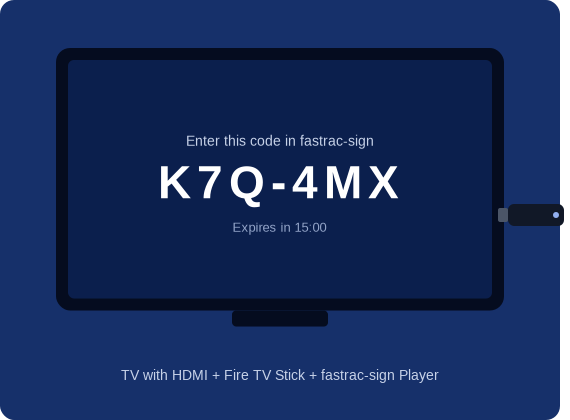
The TV shows a short code. Type it into your dashboard and the screen is yours.

Code pairing

Easy to read codes like K7Q-4MX that expire after 15 minutes.

Locations

Group screens by store, each with its own timezone.

Bulk changes

Move screens or change their playlist several at a time.

Push now

Send an update to screens straight away instead of waiting.

Content and playlists

Upload once, play it anywhere

A shared library for your images and videos, and playlists you build by dragging.

Asset library

Upload images and videos in bulk. Each file is checked so it plays on the TV.

Folders and Trash

Organise by campaign or season. Deleted files wait 30 days in Trash.

Drag and drop playlists

Set the order, how long each item shows and the transition style.

Storage check

A warning before a screen is given more content than its device can hold.
Scheduling

Plan promotions ahead and let them run

Schedules switch playlists on and off by day, hour and date range.

Dayparting

Breakfast in the morning, lunch at noon, offers in the evening.

Campaign dates

A promotion starts and ends on its own. Nobody has to remember.

Local time per store

9 AM means 9 AM in each location's own timezone.

Default playlist

When no schedule is active, the screen plays its default instead of going blank.

Monitoring

Spot a problem before a customer does

Every screen checks in every 30 seconds, so your dashboard is always current.

Live dashboard

Online and offline screens, recent errors and storage at a glance.

Offline alerts

An email to your admins after 15 minutes offline, and one when it recovers.

Now playing

See which playlist each screen is showing right now.

Playback errors

Failed downloads and unplayable files are reported with the screen they came from.

Team and security

The right access for each person

Invite your team by email and choose what each person can change.

Admins

Full control of screens, locations, people and settings.

Content Managers

Media, playlists and schedules, without access to settings.

Email invitations

Single use links that expire after 7 days.

Separate company data

No company can see another company's screens or content.

Hardware

Turn any TV into a managed screen

All you need is a TV with an HDMI port, an Amazon Fire TV Stick and an internet connection. The fastrac-sign Player keeps your content stored on the device, so it keeps playing when the connection drops.

  • TV with HDMI, any size
  • Amazon Fire TV Stick
  • Wi-Fi or wired internet
A TV showing a pairing code, with a Fire TV Stick plugged into its HDMI port

See it running with your own content

Book a demo